
 LinkedIn
 Facebook
 X.com
X.com
 WeChat
 Email
Email
Was versteht man unter Zollabfertigung?
Die Zollabfertigung ist die offizielle Genehmigung, die von einer Zollbehörde für die Beförderung Ihrer Waren erteilt wird. Jede Sendung, die in ein Land einreist oder es verlässt, muss zollamtlich abgefertigt werden, wobei detaillierte Unterlagen vorzulegen und Steuern, Zölle und andere Abgaben zu entrichten sind.
Dies stellt sicher, dass der internationale Warenverkehr erleichtert und so sicher wie möglich gestaltet wird, dass keine illegalen oder verbotenen Waren transportiert werden und dass die Waren durch die Zahlung von Steuern und Zöllen an der Wirtschaftsleistung eines Landes mitwirken.
Fehlende Dokumente können nicht nur die Lieferung erheblich verzögern, sondern auch zu rechtlichen Problemen führen – deshalb ist es wichtig, alle Feinheiten dieses komplexen Prozesses zu kennen.

Was sind die wichtigsten Elemente bei der Zollabfertigung?
Damit Sie die Zollabfertigung besser verstehen und Ihre Waren schnell und sicher auf den Weg bringen können, finden Sie hier die wichtigsten Informationen zu dem Ablauf.
- Zollabfertigung ist Pflicht – alle Ihre Waren durchlaufen beim Grenzübertritt den Zoll.
- Nicht alles darf versendet werden. Einige Güter sind generell verboten, für andere wiederum ist eine Lizenz erforderlich.
- Die Vorschriften sind von Land zu Land unterschiedlich, daher ist es wichtig, sich über die Bestimmungen und mögliche Änderungen zu informieren.
- Der größte Teil der Zollabfertigung besteht aus dem Ausfüllen von Papieren. Wenn Sie dabei Fehler machen oder die falschen Papiere einreichen, verzögert sich Ihre Sendung.
- Es müssen Steuern, Zölle und Gebühren bezahlt werden. Deren Höhe hängt von Ihrer Sendung ab und wird von einem Beamten nach Prüfung Ihrer Unterlagen festgelegt.
- Ihre Waren werden aufbewahrt, bis die Dokumente freigegeben und alle Gebühren bezahlt sind. Ein eigentlich schneller Ablauf kann sich über viele Tage erstrecken, wenn etwas falsch gemacht wurde.
Wie funktioniert die Zollabfertigung?
Auch wenn die Zollabfertigung in weniger als 24 Stunden erledigt werden kann, sind mehrere Schritte erforderlich, und wenn Sie z. B. nicht die richtigen Dokumente vorlegen, kann sich der Prozess um Stunden oder sogar Tage verzögern. Die Anforderungen sind von Land zu Land unterschiedlich, was die Komplexität zusätzlich erhöht.
Das Wichtigste bei der Vorbereitung auf die Zollabfertigung ist die Zusammenstellung der richtigen Dokumente, die ein Beamter prüfen muss, um festzustellen, ob es sicher ist, Ihre Fracht für die Weiterreise freizugeben. Die Dokumente sind je nach Land unterschiedlich, bestehen aber in der Regel aus Ein- und Ausfuhrgenehmigung, Zollerklärung, Rechnung, Warenbegleitschein und Packliste.
Nach der Abfertigung Ihrer Fracht werden diese Dokumente auch zur Berechnung von Steuern und Abgaben wie Mehrwertsteuer, Einfuhrzöllen und sonstigen Gebühren, die Sie zu entrichten haben, verwendet. Die Höhe hängt von der Art und dem Wert Ihrer Sendung sowie von den gesetzlichen Vorgaben des Bestimmungslandes ab. Je nach gewählter Versandart können weitere Gebühren anfallen.
Nach Eingang der Zahlung wird Ihre Sendung abgefertigt und vom Zoll freigegeben. Sie geht nun zurück zum Spediteur und setzt die Reise zum Zielort fort. Die Zollabfertigung ist obligatorisch und erfolgt immer dann, wenn Fracht eine Landesgrenze überschreitet.

Warum ist Zollabfertigung wichtig?
Die Zollabfertigung ist eine gesetzliche Anforderung beim Export und beim Import. Sie stellt sicher, dass Sendungen sicher über die Grenze befördert werden und keine illegalen Waren unentdeckt den Zoll passieren. Sie ist auch für die Wirtschaft eines Landes wichtig und stellt sicher, dass die vorgesehenen Gebühren und Steuern an den Staat gezahlt werden, während gleichzeitig die Sicherheit aller gewährleistet ist.
Die Zollabfertigung muss korrekt durchgeführt werden. Bei diesem verpflichtenden Vorgang sind sämtliche Vorschriften zu berücksichtigen. Werden Fehler gemacht, kann dies zu rechtlichen Problemen führen. Darüber hinaus kann sich Ihre Lieferung bei zollrechtlichen Unstimmigkeiten verzögern – und nichts ist wertvoller als eine reibungslos funktionierende Supply Chain.
Welche Faktoren beeinflussen die Dauer der Zollabfertigung?
Auch wenn die Zollabfertigung in weniger als 24 Stunden erledigt werden kann, sind mehrere Schritte erforderlich, und wenn Sie z. B. nicht die richtigen Dokumente vorlegen, kann sich der Prozess um Stunden oder sogar Tage verzögern. Die Anforderungen sind von Land zu Land unterschiedlich, was die Komplexität zusätzlich erhöht.
Aus diesem Grund ist es wichtig, dass Sie sich mit allen Vorschriften in Bezug auf die Zollabfertigung vertraut machen oder sich einen Partner mit Erfahrung in der Zollabfertigung suchen, der diese Aufgabe für Sie übernehmen kann. Ihre Dokumente, deren Vollständigkeit und die Art Ihrer Sendung können die Dauer der Zollabfertigung Ihrer Waren beeinflussen.
Warum Maersk Zollabfertigungsdienste?
Wenn Sie möchten, können Sie sich selbst um die Zollabfertigung kümmern. Wir empfehlen Ihnen jedoch, sich einen Partner zu suchen, der Sie bei diesem komplexen Prozess unterstützt und so viele Arbeitsschritte wie möglich für Sie übernimmt.
Die internationalen Handelsgesetze ändern sich häufig, und jedes Land hat seine eigenen Vorschriften – es kann schwierig und zeitraubend sein, bei all diesen Vorschriften auf dem Laufenden zu bleiben. Wir bei Maersk kennen Ihre Supply-Chain-Anforderungen und können Sie mit unserem Fachwissen bei der Zollabfertigung anleiten.
Unsere Experten sorgen dafür, dass Ihre Zollabfertigung so reibungslos wie möglich verläuft. So vermeiden Sie unangenehme Überraschungen, erleichtern Sie den Transport Ihrer Fracht und stellen Sie Ihre Kunden zufrieden.

Integrieren Sie Ihr Zollverfahren mit unserer Supply Chain Management (SCM)-Plattform für Exportdaten-Management und nachgelagerte Vorteile beim Import.

Compliance-Experten und spezialisierte Handelsberater helfen Ihnen, durch die komplexe Welt der Tarifcodes, Steuern, Zölle und internationalen Handelsvorschriften zu navigieren, um Kosten zu senken und die Vorhersehbarkeit zu erhöhen.

Kompetente Compliance-Management-Teams, die Ihre Zollaktivitäten und die neuesten Gesetzesänderungen engmaschig überwachen.

Eine enge Zusammenarbeit mit einem einzigen Zolldienstleister während der gesamten Beförderung Ihrer Fracht; ein Dienstleister, der Ihre geschäftlichen Anforderungen versteht und die Effizienz und Transparenz Ihrer Supply Chain erhöht.

So buchen Sie Maersk Zolldienstleistungen

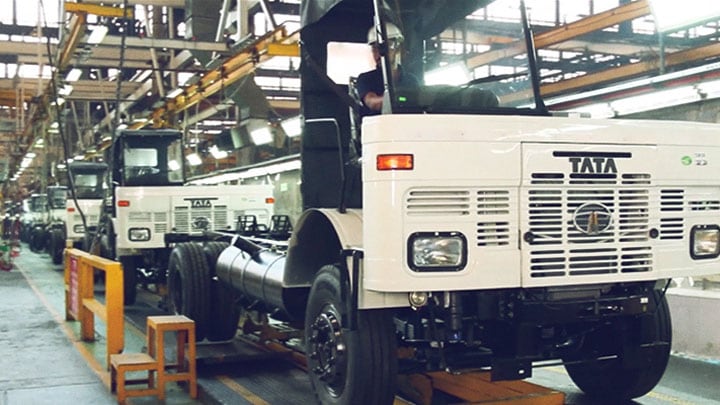
TATA Motors setzt von A bis Z auf die Zolldienste von Maersk
Als einer der größten Automobilhersteller der Welt verlässt sich TATA auf pünktliche Lieferungen, und dies setzt pünktliche Zollabfertigungen voraus. Sehen Sie sich an, was Jayant Shreedhar Athawade, Head of SCM bei TATA Motors International Business, über die wichtige Rolle berichtet, den das Zollteam von Maersk bei der reibungslosen Lieferung von Fahrzeugen spielt.
Dies könnten Sie ebenfalls interessieren
Erreichen Sie das volle Potenzial: Lassen Sie uns Ihre Supply Chain von Anfang bis Ende vereinfachen und vernetzen.



Holen Sie das Beste aus Ihrer Logistik heraus

Starten

Kontaktieren
